

Likno Web Modal Windows Builder
User Interface for Javascript modal windows with various styles & options
Display internal HTML content, content you add easily through the interface (embedded)
External/internal (AJAX) pages, Images (gallery style) and more.


Save time
No Code - WYSIWYG
Rich UI - For All Browsers
Any Editor - Any CMS
Likno Web Modal Windows Builder is a powerful jQuery interface (GUI) for creating stylish and feature-rich javascript popup windows/dialogs for your web pages, with minimal effort and coding.
Use simple text, HTML, images, videos, ajax, flash, opening/closing effects, colors, slideshows, auto-play, automatic opening "on page load"(and more!) to create any type of popup window/dialog, such as: html window, html popup, jQuery popup, modal popup, modal dialog, jQuery modal, modal window, etc. All modal windows are cross-browser and work alike in all browsers.
Simply click below to see what a "modal window" actually is!
single-sheet modal window
multi-sheet modal window
OR visit the examples page to discover a variety of options and uses.
A modal window is used to display additional content on a new page layer (window) on top of the loaded content.
Through our builder you can easily create web modal windows/dialogs with many options, like showing internal HTML content (located in your actual page), content added easily through the interface (embedded), external or internal (AJAX) pages, and more.
Major Features
Watch a quick overview of Likno Web Modal Windows Builder
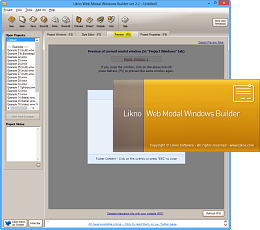
Rich and powerful interface!
(click the image below to see the application's interface)
Cross-browser
Javascript engine supports all browsers, such as IE, Firefox, Chrome, Safari, Opera, Mozilla, Konqueror, OmniWeb and more.

Cross-platform
Javascript engine supports all platforms, such as Windows, Mac OS X, Linux, smartphones (iPhone, Android, Windows Phone, BlackBerry 6+) and more.

Cross-editor
Works with all authoring tools (such as Dreamweaver, Expression Web, NetObjects Fusion, CoffeeCup, etc.), even a simple text editor!
Cross-CMS
Works with all CMS and Blogs (such as WordPress, Joomla, Drupal, Typo3, DotNetNuke, Expression Engine, CMS Made Simple, etc.).

Position the appearing modal window anywhere you like!
Lots of options, such as positioning the modal window relative to "the Browser Window (default)", "a page Element" or "an Image"... and at any corner or side of that chosen "Target".

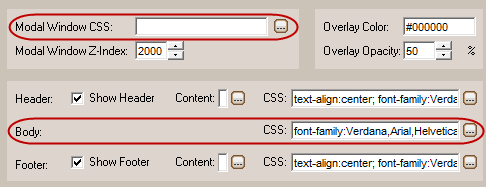

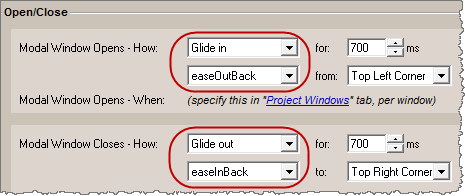
Use a variety of Navigation Bars on multi-sheet Modal Windows. Use CSS and dedicated properties to fully customize the appearance of "First", "Previous", "Next", "Last" buttons, text label, sheet numbers, background of the bar, mouse over effects and more!
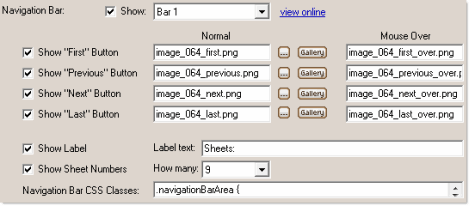

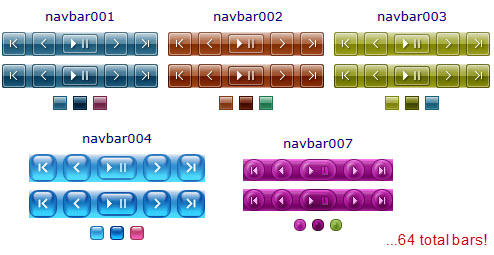
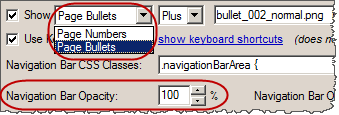
Enhanced Navigation Bar functionality to include "Bullets" (as "sheet numbers"), Opacity on Normal or Mouse Over states, etc.
Set a Modal Window to open automatically on page load, instead of clicking on a page element.
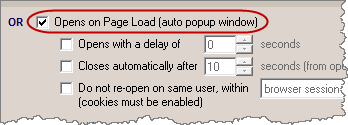 Use the "Auto Popup Window" Add-in for more options, such as:
 - Open a popup window with a delay of some seconds
- Close the popup window automatically after some seconds
- Do not show the popup window to the same user twice (through cookies)
Set a Modal Window to open on Mouse Out of Page, i.e. when the user drags the mouse outside the page from its top side (does not apply to the three other sides). This happens only once while the page remains open, unless the page is refreshed.

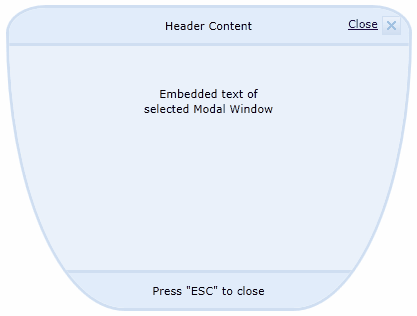
Use Rounded Corners around the modal window. Available in browsers that properly support CSS3 (IE9+, Opera 10.50+, Firefox 3.5+, Safari/Webkit 522+, Chrome and others). You can adjust the roundness of each corner all together or even separately!
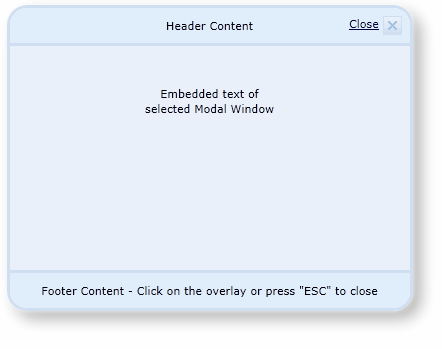
Apply a Shadow to the modal window, in browsers that properly support CSS3 (IE9+, Opera 10.50+, Firefox 3.5+, Safari/Webkit 522+, Chrome and others).
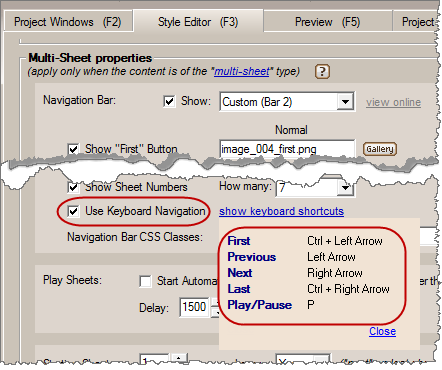
Allow keyboard navigation on multi-sheet windows (slideshows). The visitor can use the arrow keys to navigate through sheets (slides) and the "P" key to "play/pause" the modal slideshow.
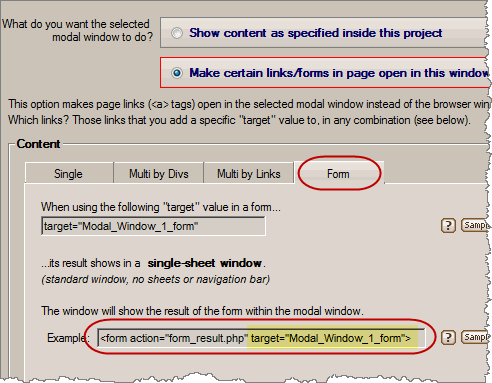
Make forms show their results in a specified Modal Window.
This is used so that the user views the results of a form (i.e. the content after the form's "submit" button is pressed) into a modal window opening above the page.
Use complete help for all properties and procedures. Press F1 while you are on a property to immediately receive Help for that property.
Live Examples available online.
Powered by the popular jQuery open source library.
The produced modal windows are fully cross-browser, i.e. they work alike in all browsers supporting DHTML and Javascript (like Firefox, Internet Explorer, Google Chrome, Opera, Mozilla, Konqueror, Safari and more).
ExamplesLikno Web Modal Windows Builder will save you a significant amount of time and effort required to fully understand DHTML, Javascript and jQuery code for creating powerful web modal windows!
Web
Modal Windows Builder
All Likno Products
 AllWebMenus
 Web Modal Windows Builder (jQuery)
 Web Tooltips
Builder (jQuery)
Web Tooltips
Builder (jQuery)
 Web Tabs Builder
(jQuery)
Web Tabs Builder
(jQuery)
 Web Accordion
Builder (jQuery)
Web Accordion
Builder (jQuery)
 Web Scroller
Builder (jQuery)
Web Scroller
Builder (jQuery)
 Web Button
Maker
Web Button
Maker
 Drop-Down
Menu Trees
Photo
Frame Show
Custom Project
Services
Drop-Down
Menu Trees
Photo
Frame Show
Custom Project
Services
AllWebMenus Add-in
Open modal windows from any kind of drop-down menu, sliding menu, javascript menu or dhtml menu, created with AllWebMenus.
Add modal window links to menu items of your choice and open them when the user clicks on them!
more infoClient Testimonials
"For over 5 years, the Likno Products have been ones of our most trusted web development tools. With excellent support and regular updates."

"Best menu creator tool out there! But best of all is their support! Friendly, knowledgeable, super to work with, and always keeping up with new technology. I wouldn't go anyplace else!"

"We are web developers and simply love your products. You do a superb job of updating them on a regular basis and they always work!"

Awarded as top software by several reviewers


Warning: Constant ABSPATH already defined in /usr/home/frames/public_html/likno/blog/wp-config.php on line 24
Fatal error: __autoload() is no longer supported, use spl_autoload_register() instead in /usr/home/frames/public_html/likno/blog/wp-includes/compat.php on line 502