

Likno Web Accordion Builder
User Interface for creating any type of jQuery accordion: vertical accordion, horizontal accordion, jquery accordion, jquery slider, accordion menu, collapsible panel, ajax accordion, javascript accordion, CSS accordion, accordion panel, etc.


Save time
No Code - WYSIWYG
Rich UI - For All Browsers
Any Editor - Any CMS
Likno Web Accordion Builder is a user-friendly interface (GUI) to the popular jQuery open source library, that allows you to create stylish, feature-rich jQuery accordion & slider controls for your web pages, with minimal effort and coding.
All the jQuery accordion & slider controls it creates are cross-browser and work alike in all browsers. Scroll down for info on major features.
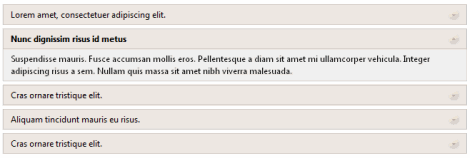
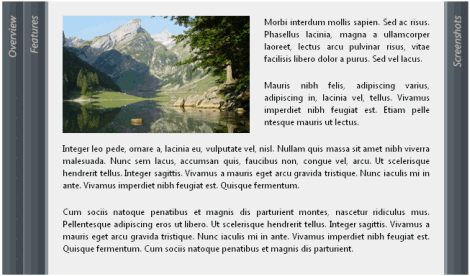
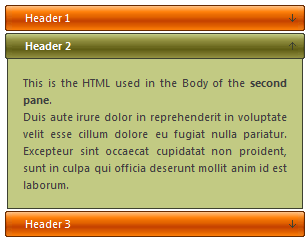
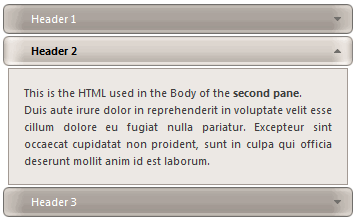
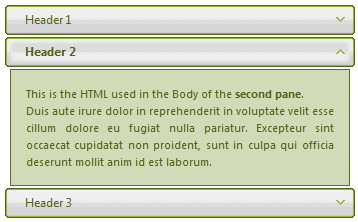
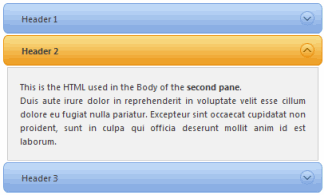
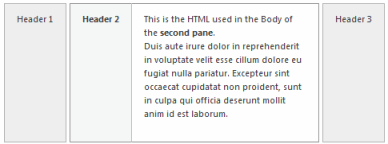
(horizontal accordion)
Note: the above are just screenshots. Visit the "examples" page to view videos on how a user actually interacts with an accordion.
ExamplesMajor Features
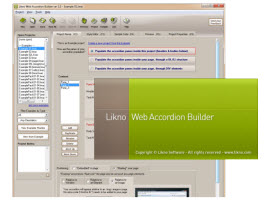
Rich and powerful interface!
(click the image below to see the application's interface)
Cross-browser
Javascript engine supports all browsers, such as IE, Firefox, Chrome, Safari, Opera, Mozilla, Konqueror, OmniWeb and more.

Cross-platform
Javascript engine supports all platforms, such as Windows, Mac OS X, Linux, smartphones (iPhone, Android, Windows Phone, BlackBerry 6+) and more.

Cross-editor
Works with all authoring tools (such as Dreamweaver, Expression Web, NetObjects Fusion, CoffeeCup, etc.), even a simple text editor!
Cross-CMS
Works with all CMS and Blogs (such as WordPress, Joomla, Drupal, Typo3, DotNetNuke, Expression Engine, CMS Made Simple, etc.).

Create cross-browser jQuery accordions to display content when visitors click on (or even mouse over!) page elements (accordion headers) of your choice.
Use simple text, HTML code, images, videos (YouTube, etc.), animations, Flash, or whole pages (AJAX, URL) as content in your accordions.
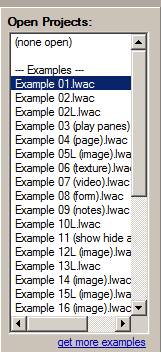
Create projects fast by using ready-made examples already installed in the application.
Universal: Use in all authoring tools (Dreamweaver, Expression Web, etc.) and CMS platforms (Joomla, Drupal, Wordpress, etc.).
Create any type of jQuery accordion control, such as: vertical accordion, horizontal accordion, jquery accordion, jquery slider, jquery toggle, accordion menu, collapsible panel, ajax accordion, javascript accordion, CSS accordion, accordion panel, etc.
Create both vertical and horizontal accordions, with headers on any side (Top, Bottom, Left, Right). Panes can open/close horizontally too!

Set the accordion panes as co-dependent (only 1 pane open at any time) OR totally independent (any number of panes open at any time).

- populated by the project properties (within the application).
OR - populated by a UL/LI structure, located inside your page.
OR - populated by DIV elements, located inside your page.
- Insert into a page element of your choice (div, span, td, etc.).
OR - Replace a page element (vs "insert into").
OR - Replace an image of your choice.
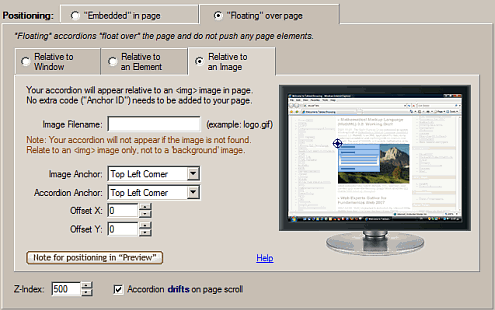
OR - Float, relative to the browser window (any corner).
OR - Float, relative to a page element of your choice (any corner).
OR - Float, relative to an image of your choice (any corner).
OR
Customize the style of your accordion through CSS ("css accordions").
Apply images creatively to create interesting accordions (images on accordion headers, image-based backgrounds etc.).
Use multiple accordion controls on the same page (with the same or different styling).
Add dynamic content (database-driven or programmable) to your accordions through AJAX techniques ("ajax accordions").
Show and hide the panes in your accordion using a variety of show/hide effects.
Optionally use an "Indicator" image on the headers of the accordion panes (panes can open/close when clicking on that image instead of their entire header area).
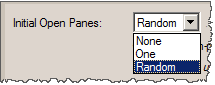
Set as initially open (on page load): a specific pane OR all panes OR no pane OR a "random" pane.
Choose the "Remember last open panes when user revisits" option, if you want your users to see the accordion as they left it when they return back to its page.

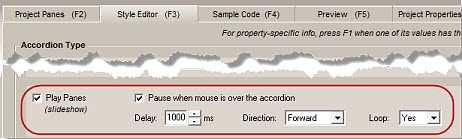
Make the accordion behave as a "SlideShow": its panes opening automatically, one at a time, at specified duration and direction, with looping or not, pause on "mouse over" and more.
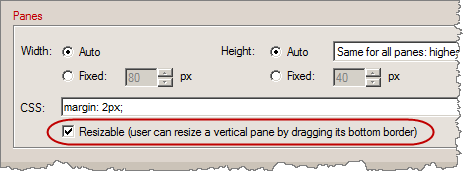
Use the "Resizable Panes" feature for vertical accordions; user can resize a vertical pane by dragging its bottom border. view this feature live in our Knowledge Base accordions
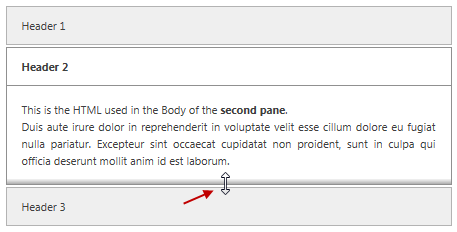
Screenshot of an accordion using "resizable panes":
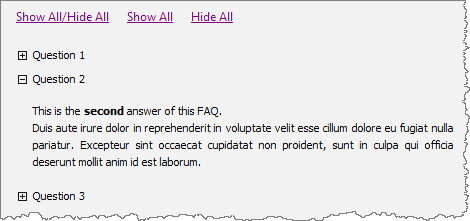
Use "Example 20 (FAQ)" to create a FAQ, which applies the following concepts:
- *Clean styling* is used on pane headers (no background color or border in their CSS).
- *Show All/Hide All* links are used outside the accordion (placed anywhere in page).
- *Indicator* set is used in headers (the plus/minus icons).
- *Indicator image only* is used to show or hide panes (instead of their entire Header).
- *Independent panes* are used (any number of panes can be open at any time).
Use complete help for all properties and procedures. Press F1 while you are on a property to immediately receive Help for that property.
Access additional designs (examples) of accordion controls, besides the designs coming with the application (note: applies to "Unlimited Domains" users).
Powered by the popular jQuery open source library.
The produced jQuery accordions are fully cross-browser, i.e. they work alike in all browsers supporting DHTML and Javascript (like Firefox, Internet Explorer, Google Chrome, Opera, Mozilla, Konqueror, Safari and more).
ExamplesLikno Web Accordion Builder will save you a significant amount of time and effort required to fully understand DHTML, Javascript and jQuery code for creating powerful web accordion controls!
Web Accordion Builder
All Likno Products
 AllWebMenus
 Web Modal Windows Builder (jQuery)
 Web Tooltips
Builder (jQuery)
Web Tooltips
Builder (jQuery)
 Web Tabs Builder
(jQuery)
Web Tabs Builder
(jQuery)
 Web Accordion
Builder (jQuery)
Web Accordion
Builder (jQuery)
 Web Scroller
Builder (jQuery)
Web Scroller
Builder (jQuery)
 Web Button
Maker
Web Button
Maker
 Drop-Down
Menu Trees
Photo
Frame Show
Custom Project
Services
Drop-Down
Menu Trees
Photo
Frame Show
Custom Project
Services
Client Testimonials
"For over 5 years, the Likno Products have been ones of our most trusted web development tools. With excellent support and regular updates."

"Best menu creator tool out there! But best of all is their support! Friendly, knowledgeable, super to work with, and always keeping up with new technology. I wouldn't go anyplace else!"

"We are web developers and simply love your products. You do a superb job of updating them on a regular basis and they always work!"

Awarded as top software by several reviewers


Warning: Constant ABSPATH already defined in /usr/home/frames/public_html/likno/blog/wp-config.php on line 24
Fatal error: __autoload() is no longer supported, use spl_autoload_register() instead in /usr/home/frames/public_html/likno/blog/wp-includes/compat.php on line 502